
Web Hosting
··1 minute readInstalling Composer in cPanel
Starting with cPanel version 130 cPanel no longer ships PHP Composer by default. Heres how to install Composer manually should your project need it.
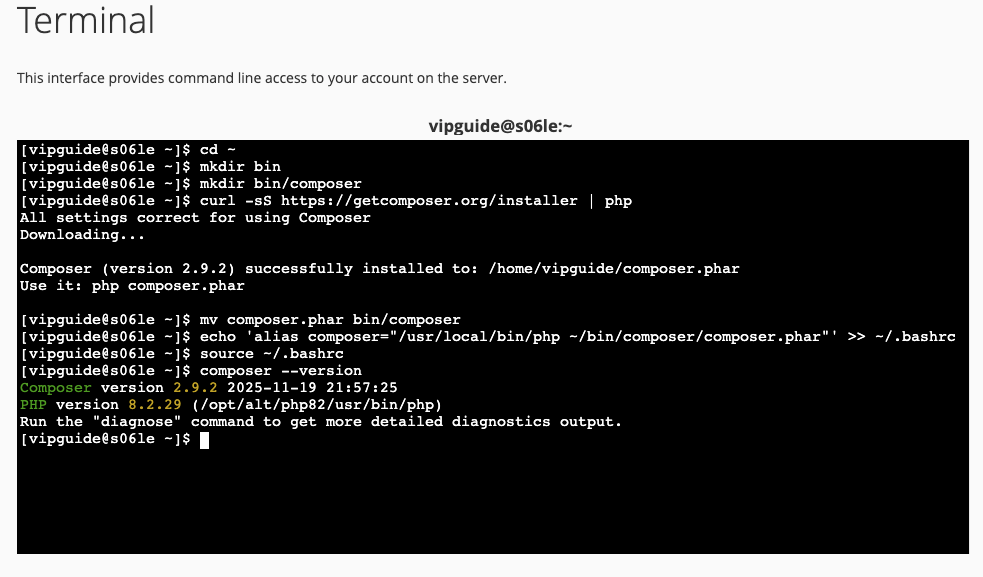 This will create the folders 'bin/composer', downloads and runs the installer, moves composer into 'bin/composer' directory and finally, adds an alias for composer so you can execute it as a command anywhere.
For more information about composer and using it, you can refer to their official site below:
This will create the folders 'bin/composer', downloads and runs the installer, moves composer into 'bin/composer' directory and finally, adds an alias for composer so you can execute it as a command anywhere.
For more information about composer and using it, you can refer to their official site below:
Installation
The following steps requires you to be in your cPanel accounts shell. To do this, you can either use cPanels in built Terminal or SSH into your hosting. Once you are in the Terminal, run the following commands to install composer:cd ~
mkdir bin
mkdir bin/composer
curl -sS https://getcomposer.org/installer | php
mv composer.phar bin/composer
echo 'alias composer="/usr/local/bin/php ~/bin/composer/composer.phar"' >> ~/.bashrc
source ~/.bashrc
composer --version