The Synergy Wholesale System utilises a smart search system, allowing you to check multiple product types with one easy click. At the top of the Wholesale System menu, you will see a search box; enter your query in this box to search domain names, hosting services, SSL certificates, and transactions that reside within your account.
Upon completing the search, you will be presented with a page showing the search query at the top and a toggle highlight option which bold's the matched keyword from your search. As you progress down the page, it will show you all matching entries for the following:
- Domain Name Registrations
- Pending Domain Name Registrations
- Domain Name Transfers
- SSL Certificates
- Hosting Services
- Transactions
For any of these options, clicking on the desired result will drop-down management or further information options.
Quick searches
The search tool also has some useful functions to speed up your searches, such as the ability to search for all entries ending with a certain string of text.
Here are all of the special search functions you can use:
| Search Type |
Prefix |
Suffix |
Wrap |
Example |
What does it do? |
| Global |
|
|
|
potato.com |
Searches everything |
| Exact Match |
- |
|
|
-potato.com |
Searches things only matching the following keywords |
| Ends With |
|
~ |
|
.com~ |
Searches things ending in .com |
| Starts With |
~ |
|
|
~potato |
Searches things starting with "potato" |
| Domain |
|
|
|
domain: potato.com |
Only searches domain names for the provided string |
| Hosting |
|
|
|
hosting: potato.com |
Only searches hosting service domain names for the provided string |
Advanced search & filtering
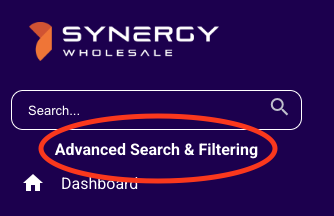
We have a more advanced search and filtering tool available for more in-depth searches. This is located directly under the search bar:
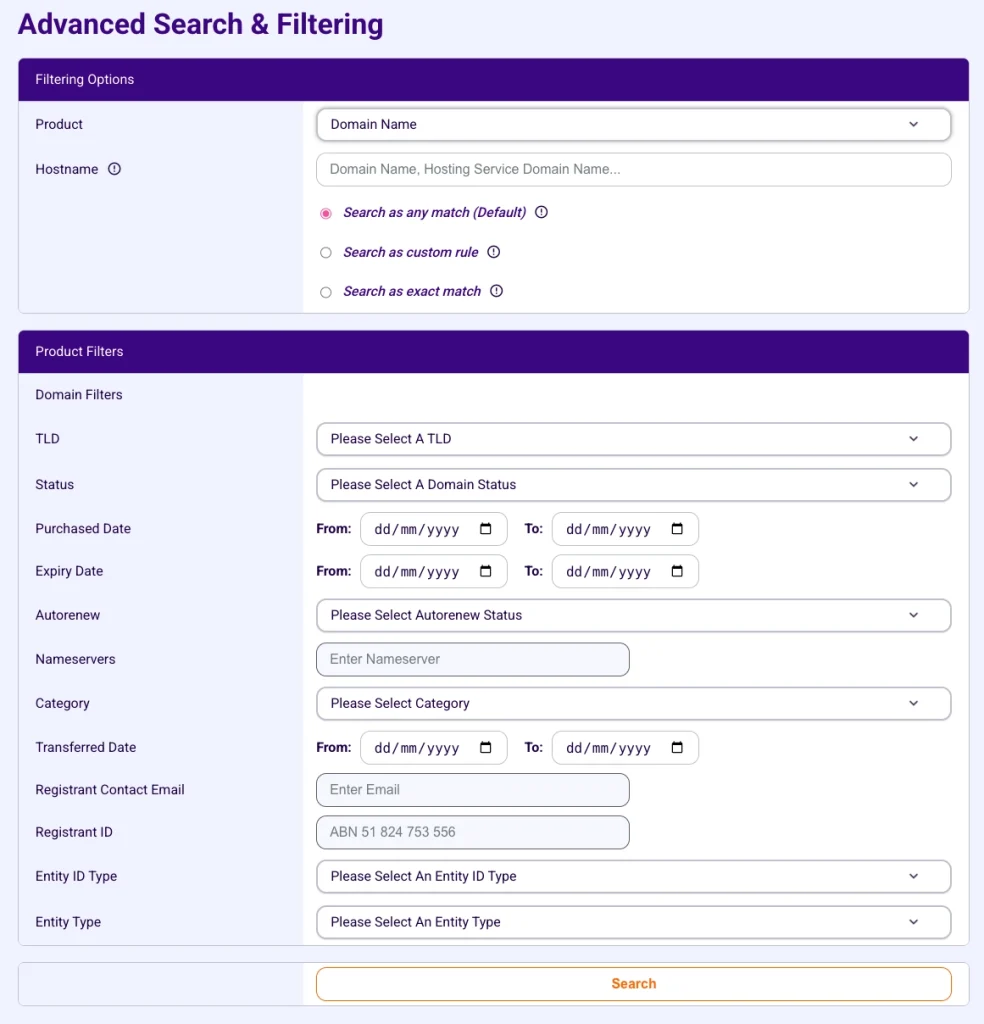
You are able to search per product, with fully granular filters. A general overview of what you can filter for is below:
Filtering options
- Product: Search from any product, including domain transfers or pending registrations.
- Hostname: Search via a domain name or hosting service domain name, which can be filtered by an exact match, a custom rule or any match.
Product filters
The following filters are available for any product:
- Purchase Date: Filter between date ranges.
- Category: Filter within a specified category.
- Status: Filter by a services status.
The table below outlines every other product-specific filter that you can search:
| Product |
Filters Available |
| Domain Name |
- TLD
- Expiry Date
- Auto Renew Status
- Nameservers
- Transferred Date (Range)
- Registrant Contact Email
- Registrant ID (.AU domains)
- Entity type & Entity ID type (.AU Domains) |
| Domain Transfer |
- Domain Transfer Status |
| Domain Pending Registration |
- Domain Pending Status |
| Web Hosting |
- Server IP
- Plan |
| Email Hosting |
- Username
- Plan |
| Self-Managed & Fully Managed VPS |
- Server IP |
| SSL Certificate |
- Product
- Order Date
- Issued Date
- Expiry Date |
| Microsoft 365 Client |
- Description
- Microsoft 365 Domain |
| Microsoft 365 Subscription |
- Status
- Description
- Microsoft 365 Domain |
| Transaction |
- Credit Range
- Debit Range
- Product Type |
| Invoice |
- Date Issued
- Date Paid
- Payment Method |
Custom rules
You can build custom search logics to fine-tune what you're searching for.
Here are a few examples of what you can use:
| Search Prefix/Suffix |
What it does |
Example Search Query |
Example Results |
| Prefix ~ or % |
Matches domains that start with "swguides". |
~swguides or %swguides |
swguides.au, swguides.com.au |
| Suffix ~ or % |
Matches domains that end with 'au'. |
~au or %au |
synergywholesale.au, synergywholesale.com.au |
| _ |
Matches values where the underscore represents any single character. You can use it anywhere in your pattern. |
a_c or a_c_d |
abc.au,a1c.com.au or a4chd.au |