Microsoft 365
··1 minute readResetting A Microsoft 365 User's 2FA (Multi-factor Authentication)
This guide will go over resetting a users multi-factor authentication (2FA), heres how.
Resetting a user's multifactor authentication
- Login to the Microsoft Entra admin center as an user with the Entra administrator or Global Administrator role.
- Navigate to 'Users' and click on the desired user.
- Click on 'Authentication methods' and then 'Require re-register multifactor authentication'.
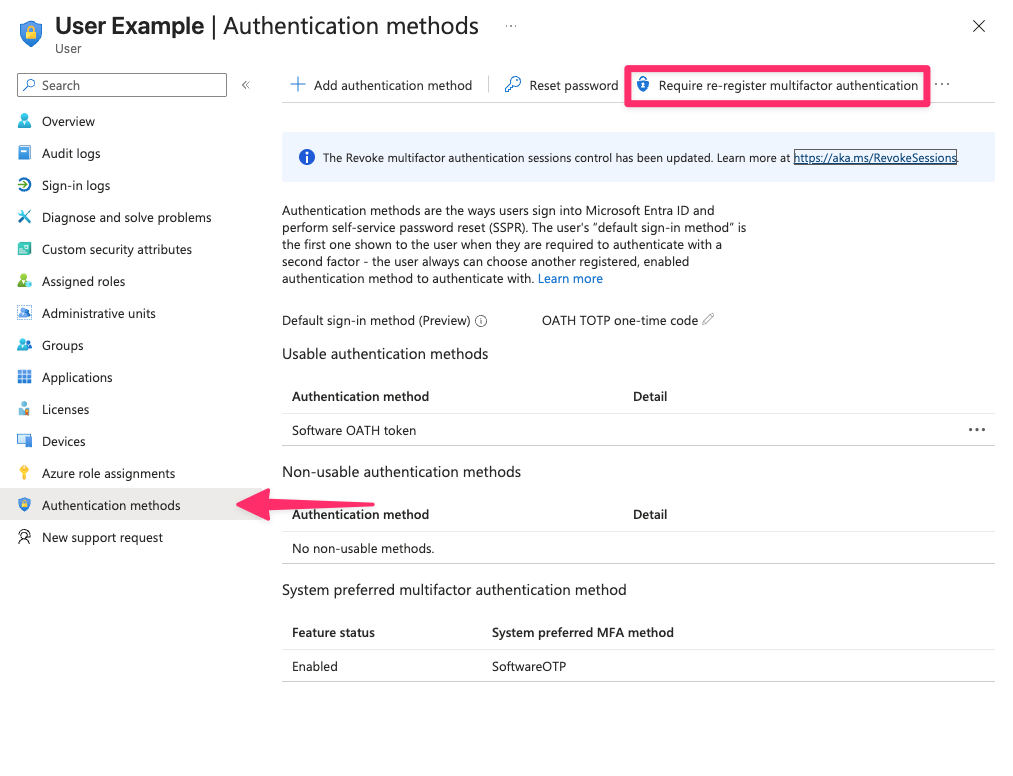
- Once clicked, it will remove their authentication methods and force the user to setup multifactor authentication again.
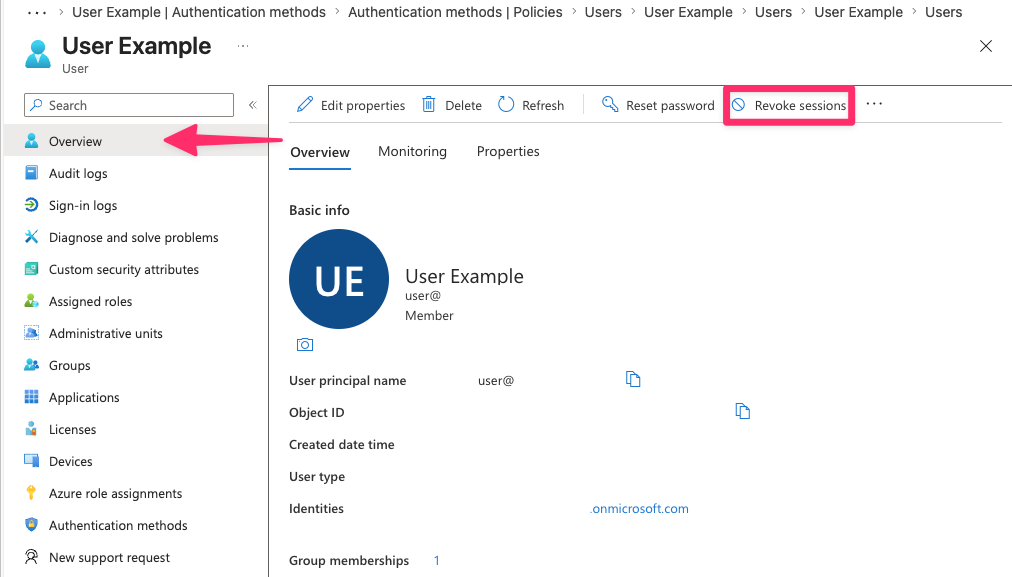
- Next, click on 'Overview' and click on 'Revoke sessions' to force the user to sign in again.