
Microsoft 365
··1 minute readResetting A Microsoft 365 User Account's Password
To reset a Microsoft 365 users password, follow these steps:
- Sign into the Microsoft Admin Centre as a user that has the Entra admin user or Global Administrator.
- Navigate to 'Users' → 'Active Users' on the left hand navigation pane.
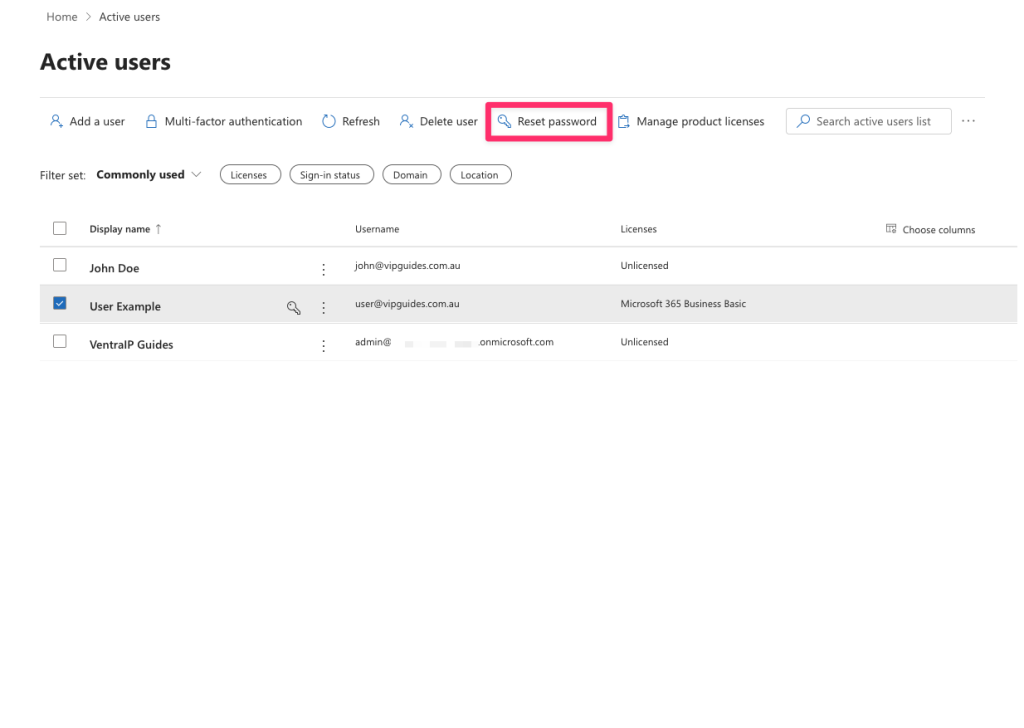
- Select the user you would like to reset the password for and click on the 'Reset password' button at the top.
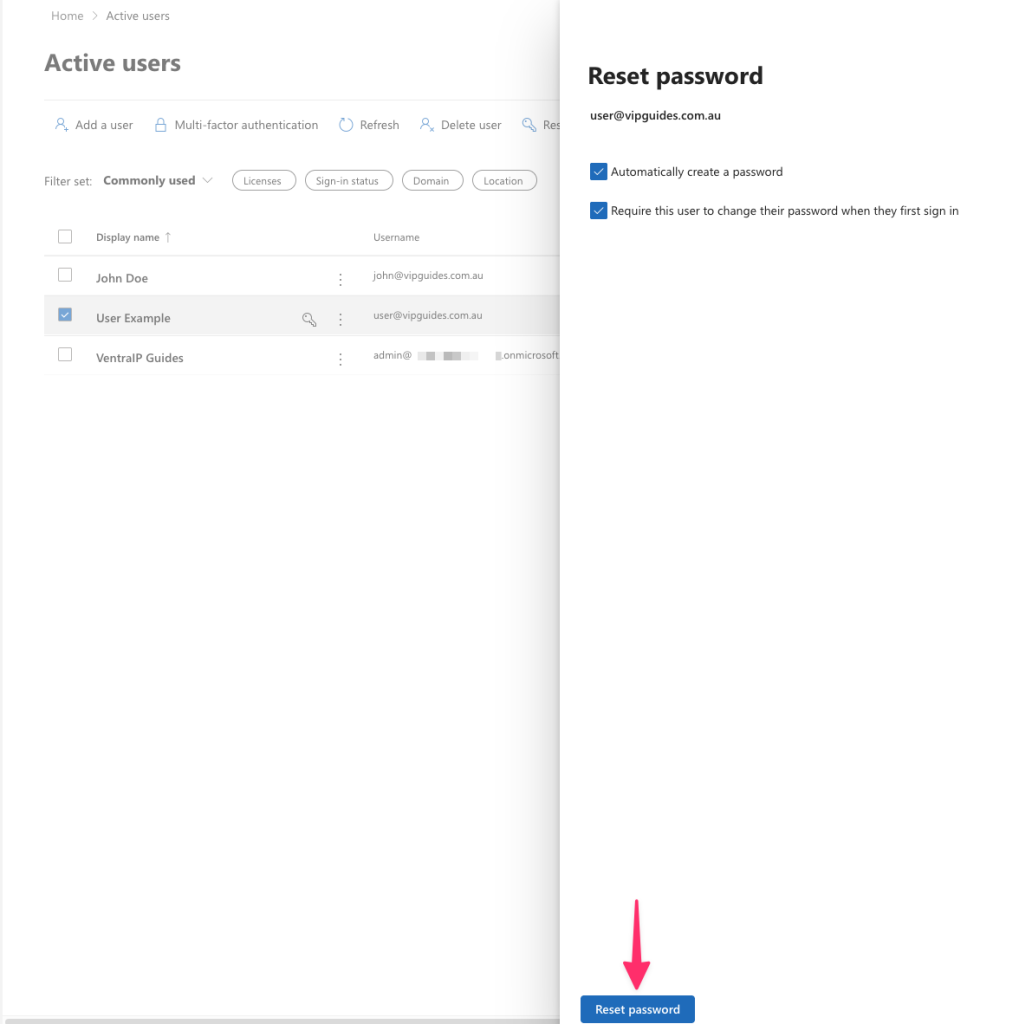
- Select whether to automatically create a password or manually set a secure password for them and or whether to update their password once they sign in again.
- Click 'Reset Password' at the bottom.
- All done! You can provide the password to them securely or print it out!