Microsoft 365
··1 minute readChanging the Billing Cycle on Microsoft 365 Plans
Synergy Wholesale offers both monthly and annual subscriptions for Microsoft 365 services. Here's how to change the Billing cycle:
- Log in to the Synergy Wholesale Management System
- Click on 'Microsoft 365' → 'Manage Clients'
- Click on the client you would like to update → 'Manage Client'
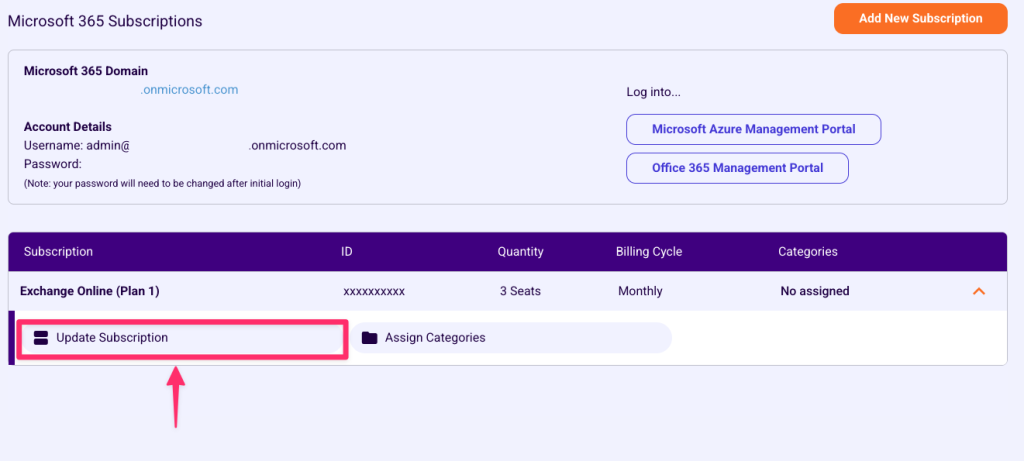
- Click on the subscription → 'Update Subscription'
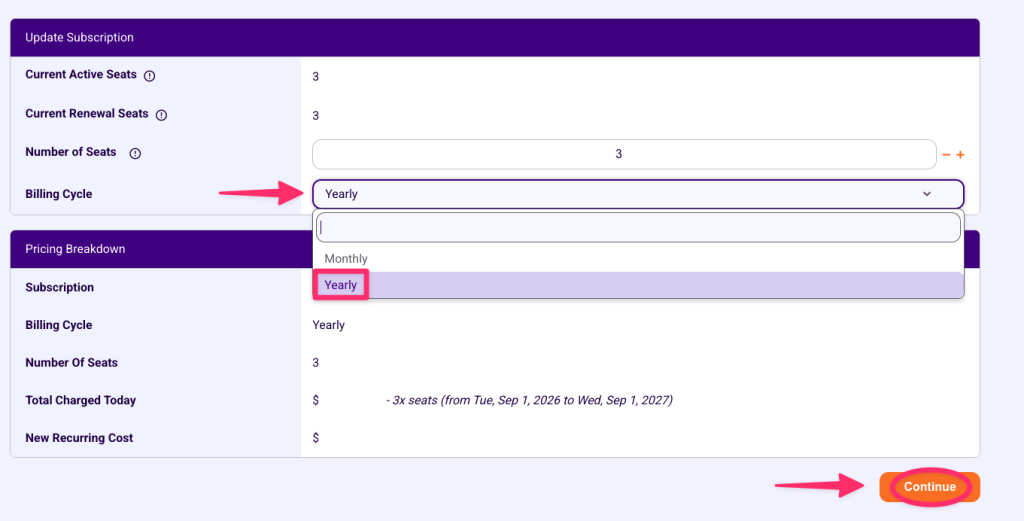
- Click on the dropdown and select your desired billing cycle.
- You'll be provided a breakdown of the new costs. Once you have confirmed, click 'Continue'