Microsoft 365
··1 minute readModifying the Microsoft 365 license for a User
To update your Microsoft 365 license for a user, follow these steps:
- Log in to the Microsoft 365 Admin Center
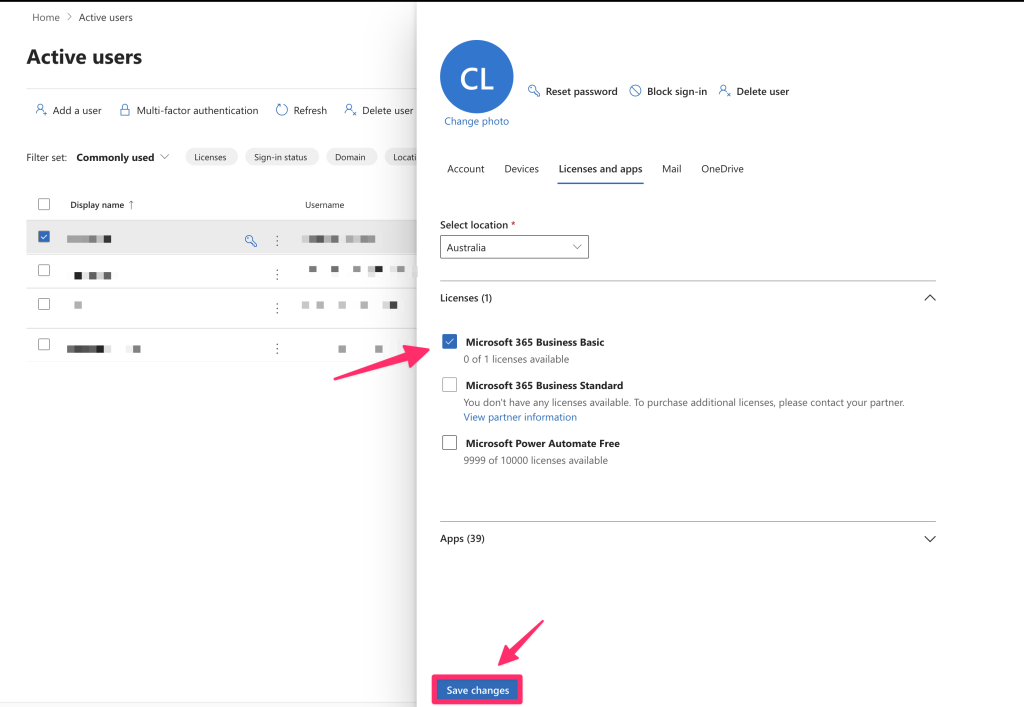
- On the left-hand, select Users, then choose Active Users. Click on the user that you would like to manage the license for.
- From the pop up panel, click on the Licenses and apps
- From there, you can uncheck any licenses that you want unassigned (if applicable) and click on the checkbox next to the license to assign it to the user.
- Click Save Changes to apply the license.